Making a Game Engine in Rust 01: Introduction
In this post, I introduce my new project. I discuss what game engines are, why I'm creating one, and outline the tools and approach I'll be using.
In this post, I introduce my new project. I discuss what game engines are, why I'm creating one, and outline the tools and approach I'll be using.
This post covers the creation of a basic ECS for the game engine.
In this post, I've successfully implemented basic player movement. Players can move, jump, and look around. Jittering is the next problem to be solved.
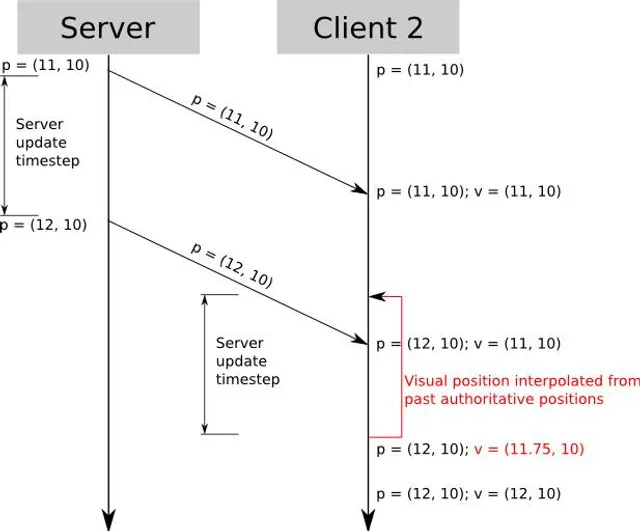
In this post we will see the implementation of interpolation as well as starting the weapon system.
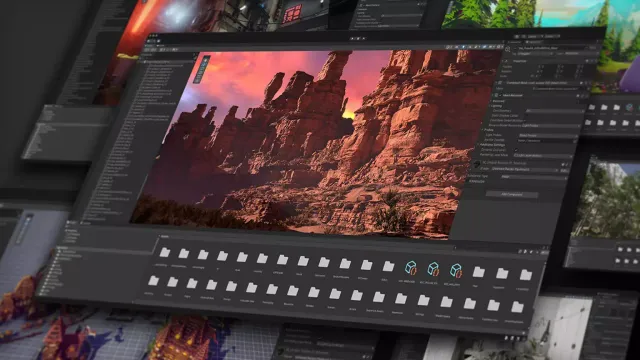
In this blog series, I'll be taking you through the process of creating my own online first-person shooter (FPS) game.
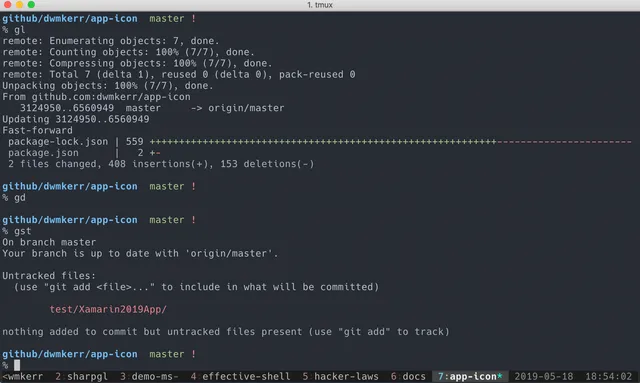
In this post, we switched from Termion to Rustyline, added command history, implemented an init script, and created an installation script, enhancing our Rust shell's usability and functionality.
This is the first part of a series were I'll build a Unix shell in rust.
This post covers the initial setup for the Axle game engine, including project structure, rendering with SDL2, coordinate system adjustments, input handling, and the engine's new name.
In this second part of the series on building a Unix shell in Rust, we dive into the essential steps of reading user input, parsing it into commands, and classifying those commands for execution.
In this post we will format the code and add some input functionality

In this post I detail my shift from Next.js to Astro for my portfolio and blog. I explore Astro's benefits, migration challenges, and improved user experience. Astro's native file compatibility and the new content collection system are highlighted, enabling seamless integration without third-party dependencies.